Apple Watch
Record from your wrist.
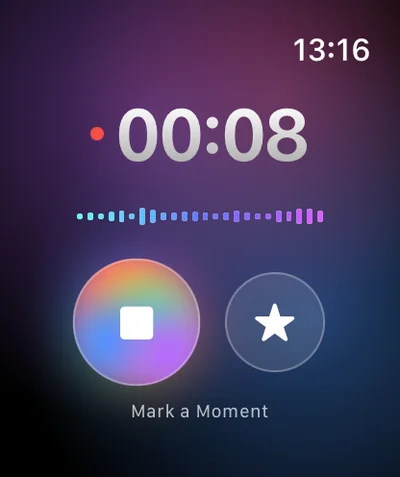
A tap or double tap to start, the star to mark a moment. Your iPhone handles the rest.
For iPhone, iPad, Apple Watch and Mac
Capture the moment. Verba transcribes, summarizes and keeps the decisions, the tasks and the words that matter.
3 free summaries · No subscription with your own key · On-device transcription
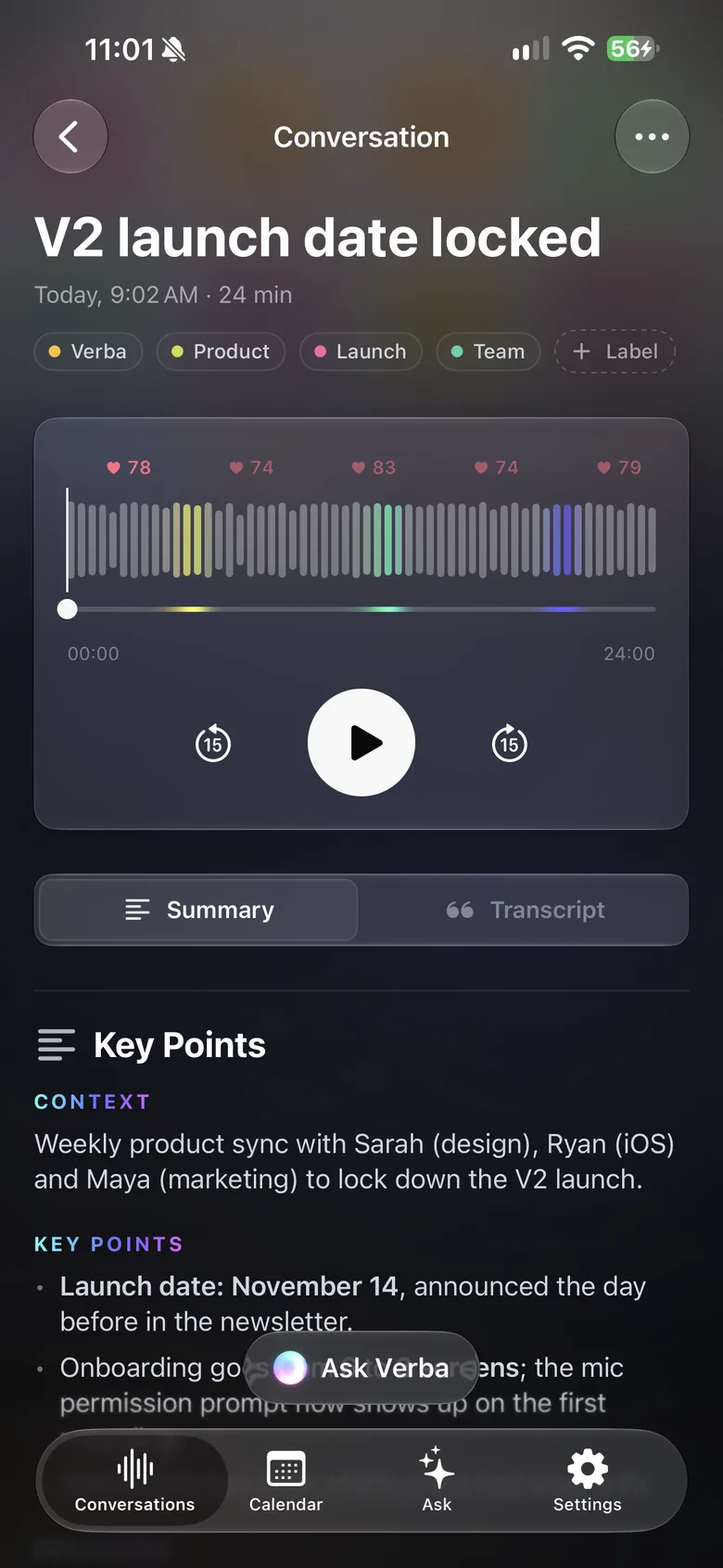
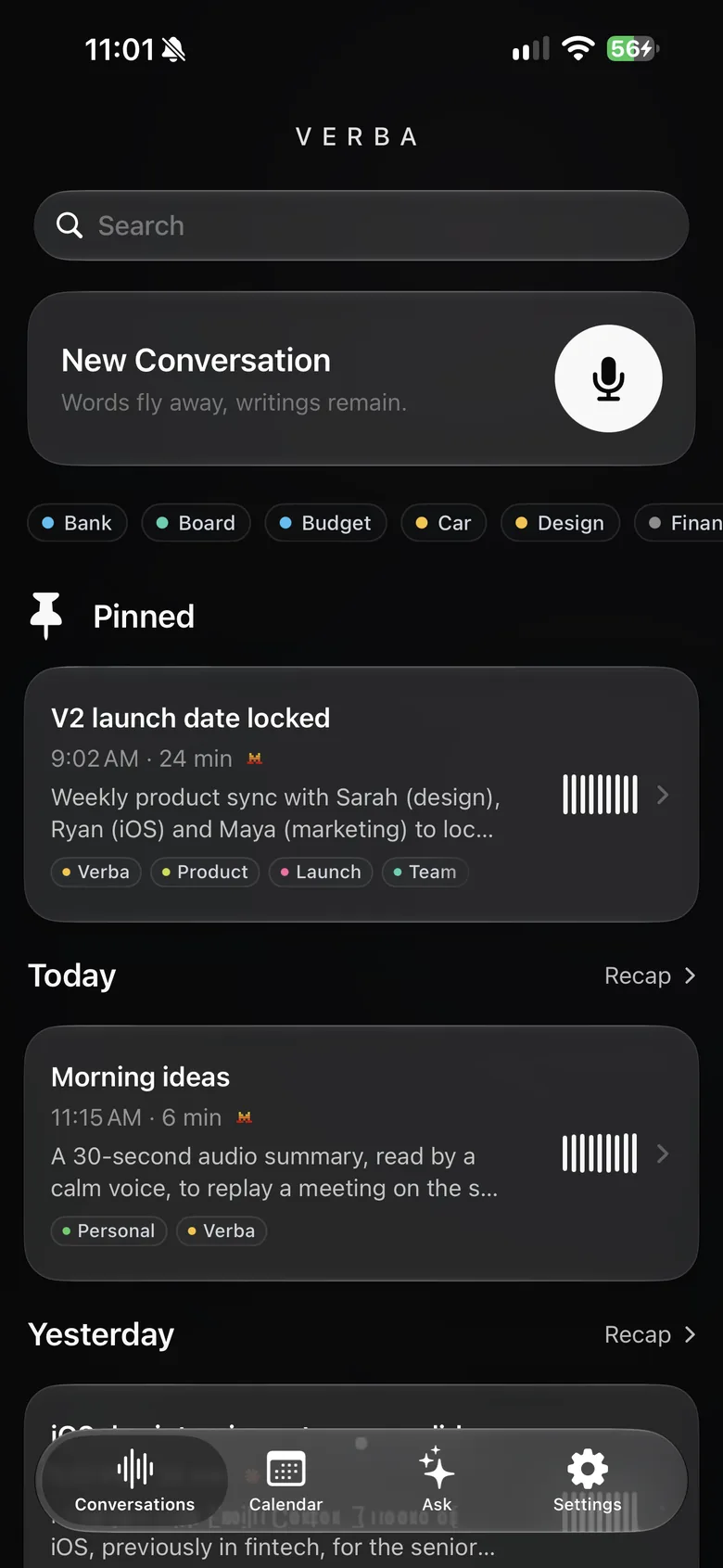
On iPhone, on your wrist or on Mac.
Transcripts, summaries and decisions.
One gesture to keep what counts.
More than a recording
Verba records your meetings, calls and ideas, transcribes them accurately and turns them into a clear summary. You stay in the conversation; the app takes the notes.
Apple Watch
Start a recording without reaching for your phone, or even touching the screen: a Double Tap of your thumb and index finger is all it takes. The same gesture then marks a moment, waiting for you in the summary.
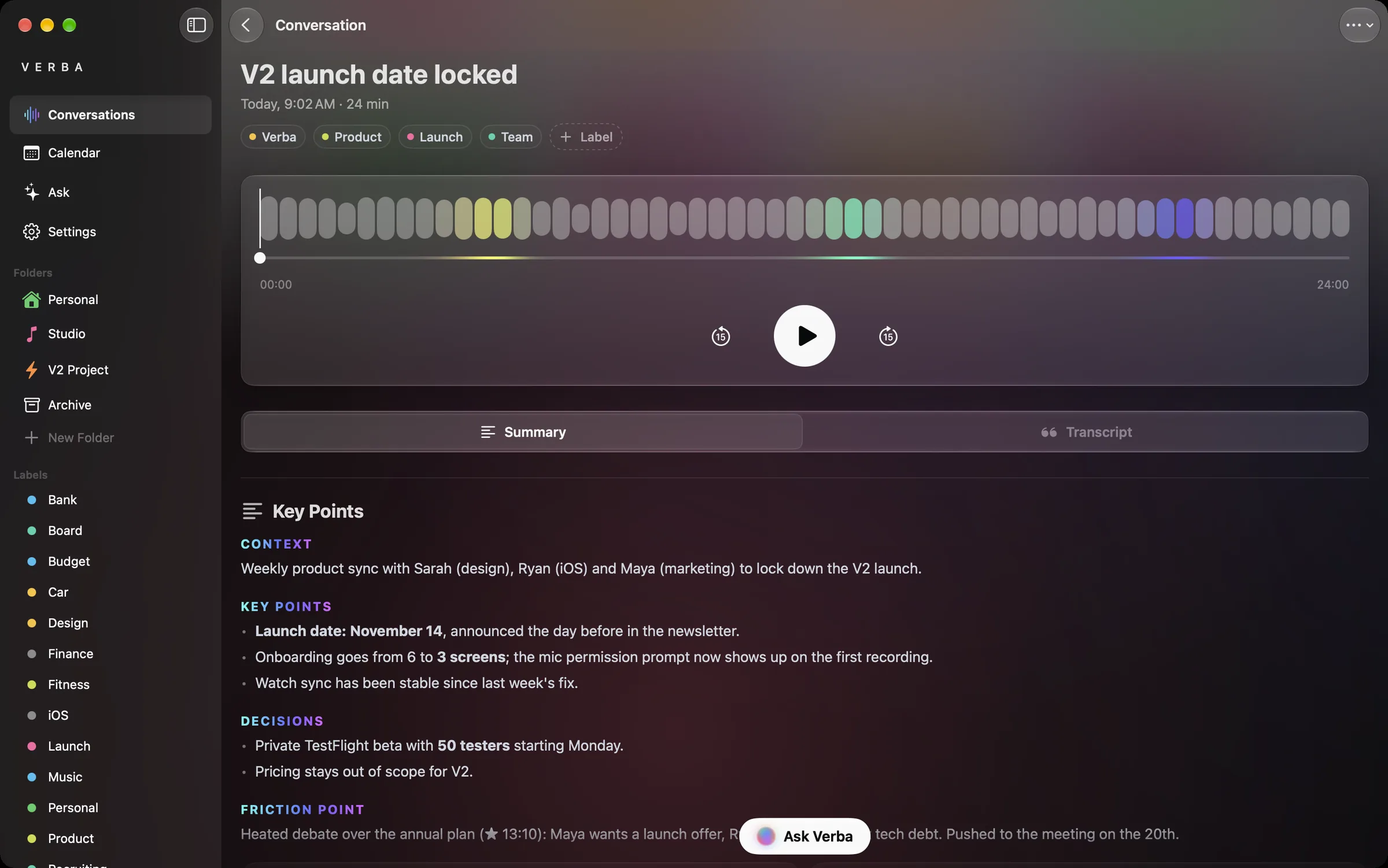
Mac
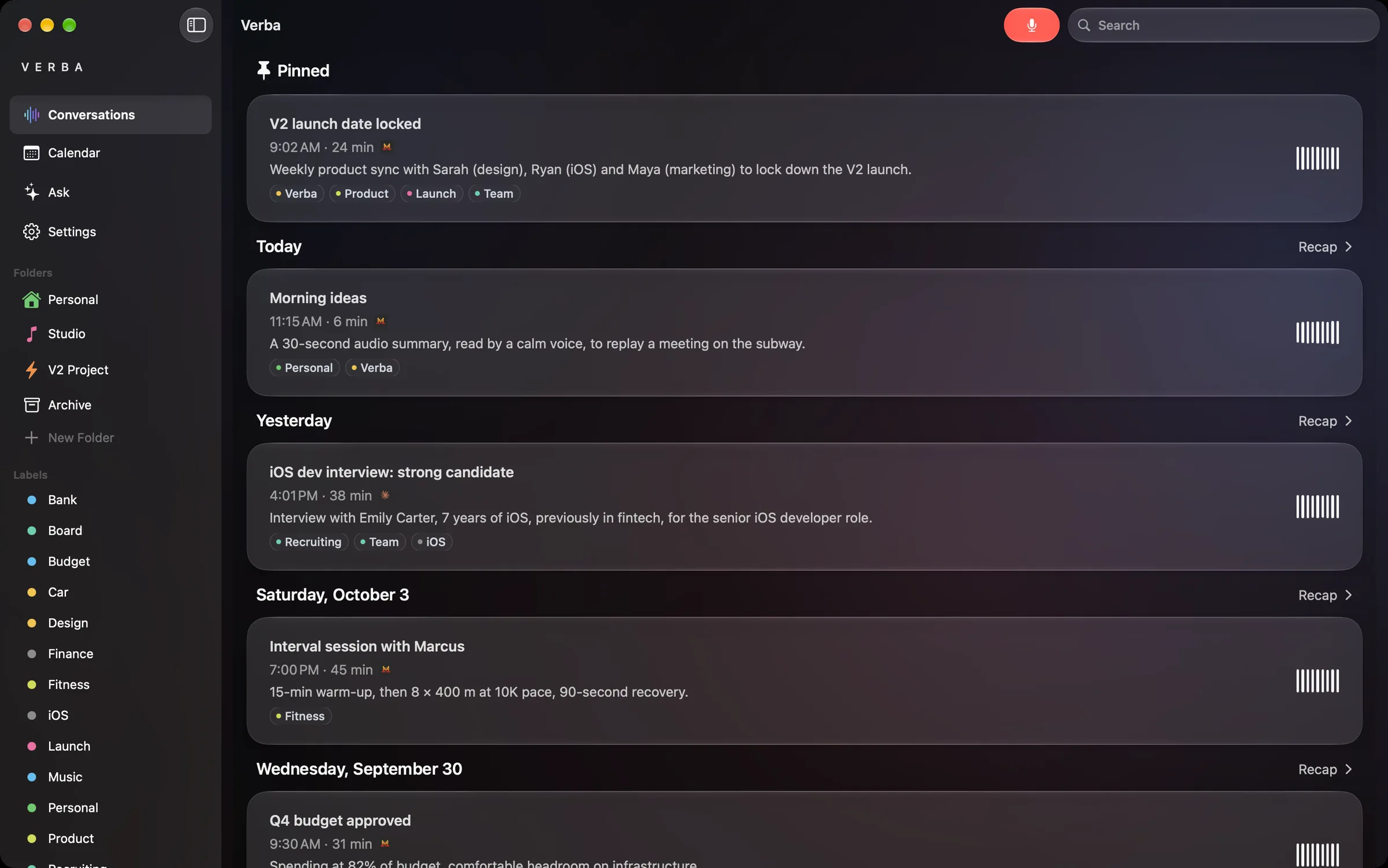
A true Mac app: a sidebar with your folders and labels, keyboard shortcuts, light and dark mode. Record with your Mac’s microphone, review, search, share.
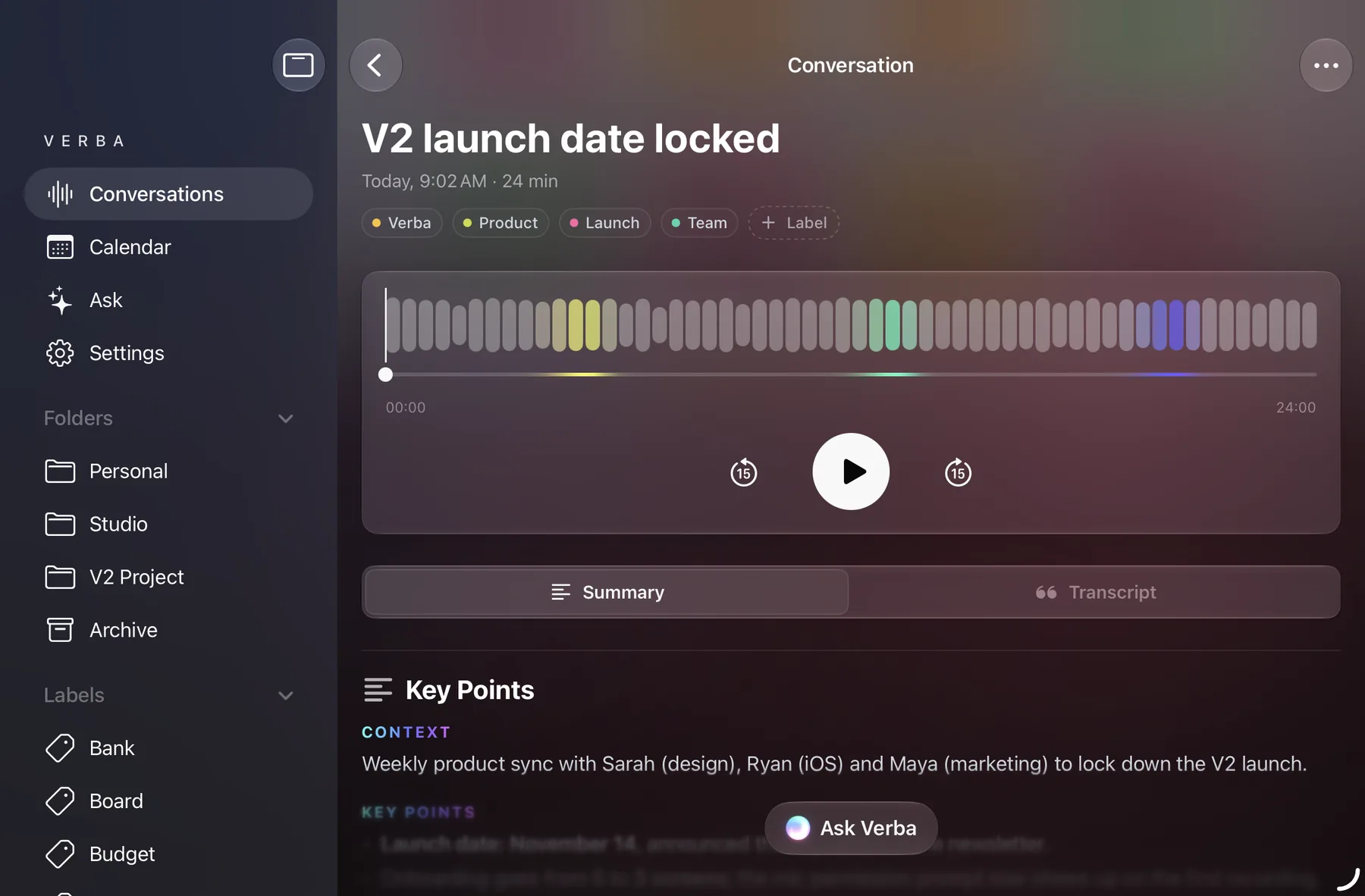
iPad
Sidebar, folders and labels at your fingertips. Open a conversation and keep the list right beside it.
Features
Apple Watch
A tap or double tap to start, the star to mark a moment. Your iPhone handles the rest.
Heart rate
If you turn it on, Apple Watch measures your pulse while recording; spikes appear above the waveform.
Photos
Take or import photos; those taken during the meeting are suggested to you.
Documents
Attach any file, Quick Look preview, searchable list.
Live Activity
Mark a moment or stop recording without opening the app, on iPhone.
Reminders
Send the tasks from a summary to the Reminders app.
iCloud
iPhone, iPad and Mac, synced through your own account.
Languages
The app speaks yours; transcription understands 11.
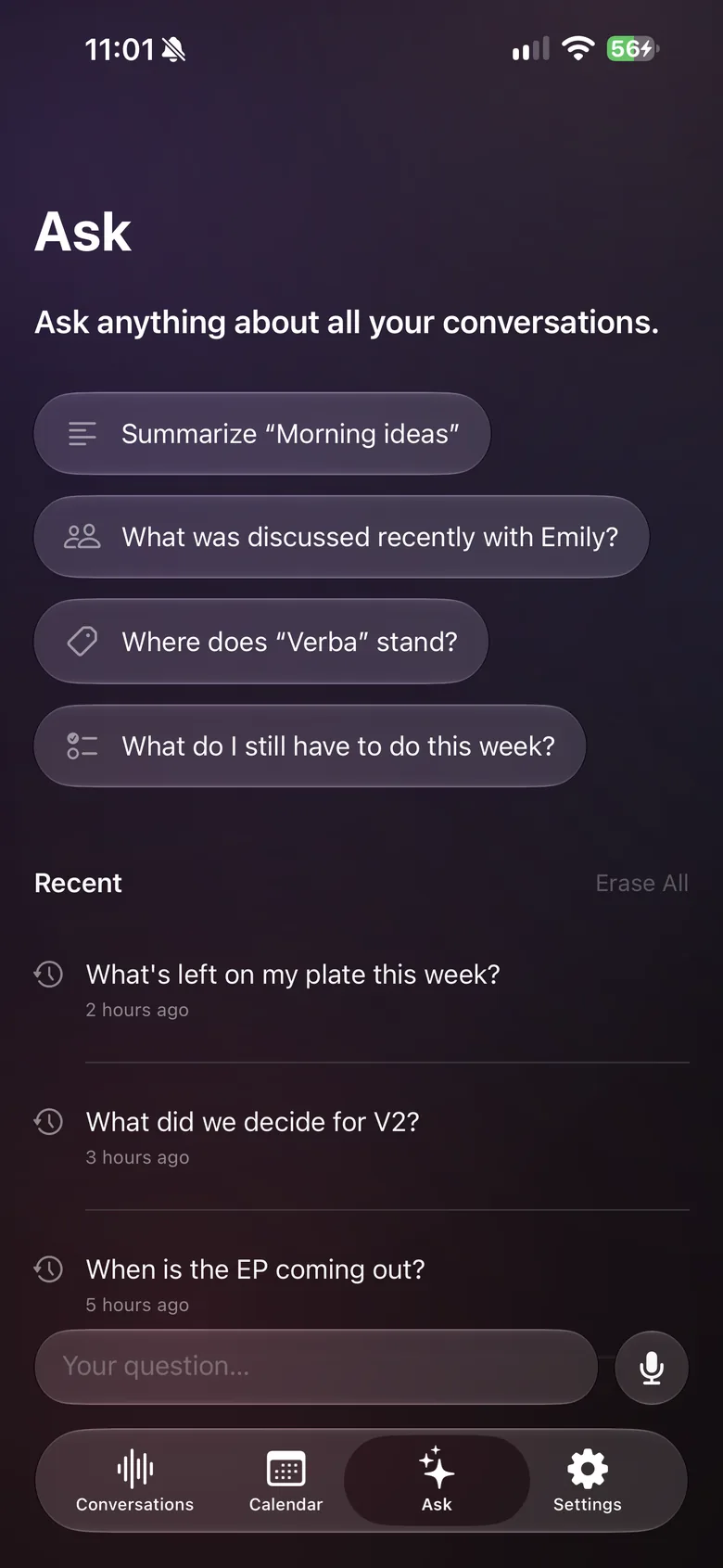
Ask
“What’s left on my plate this week?” Ask answers from all your conversations.
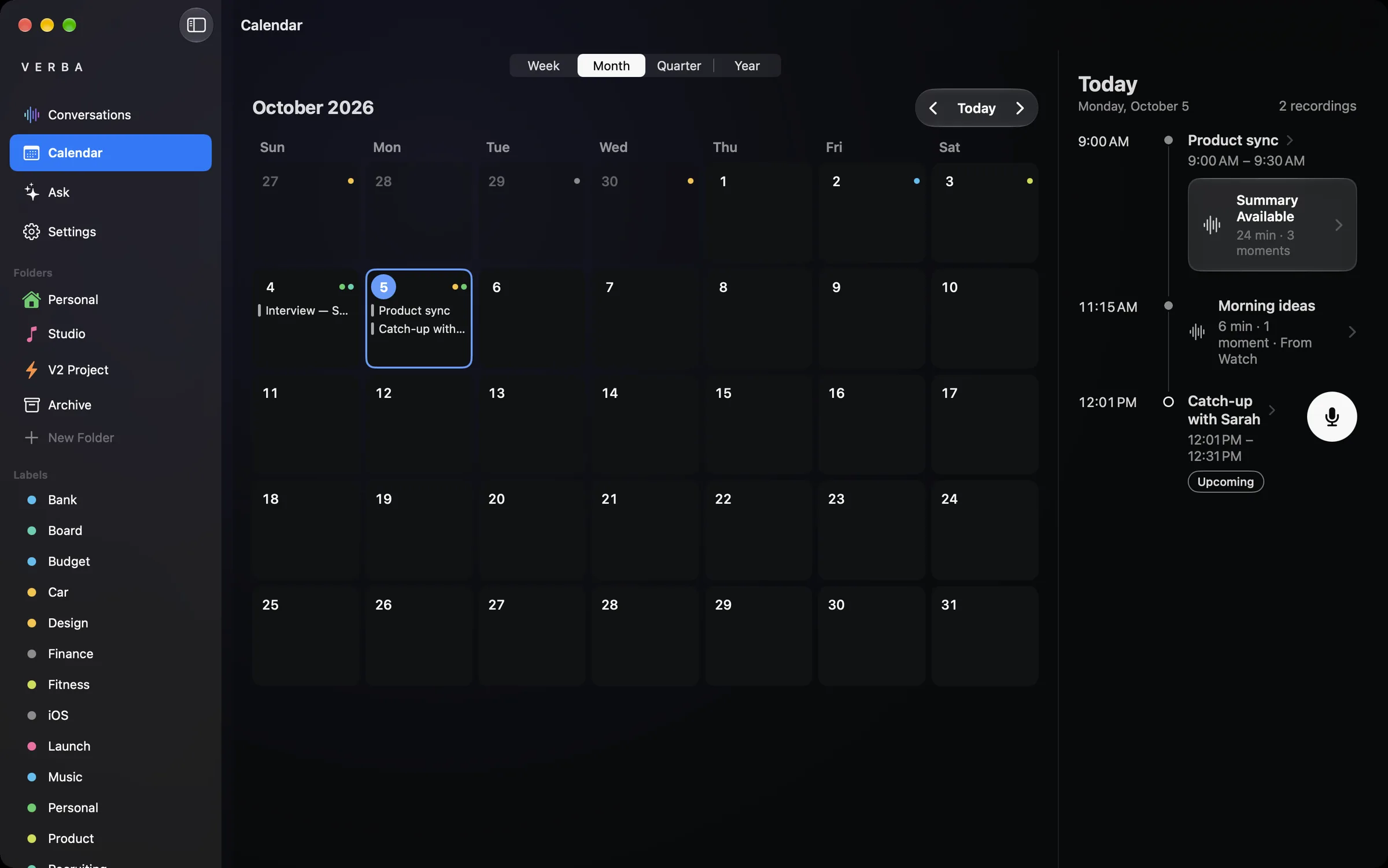
Calendar
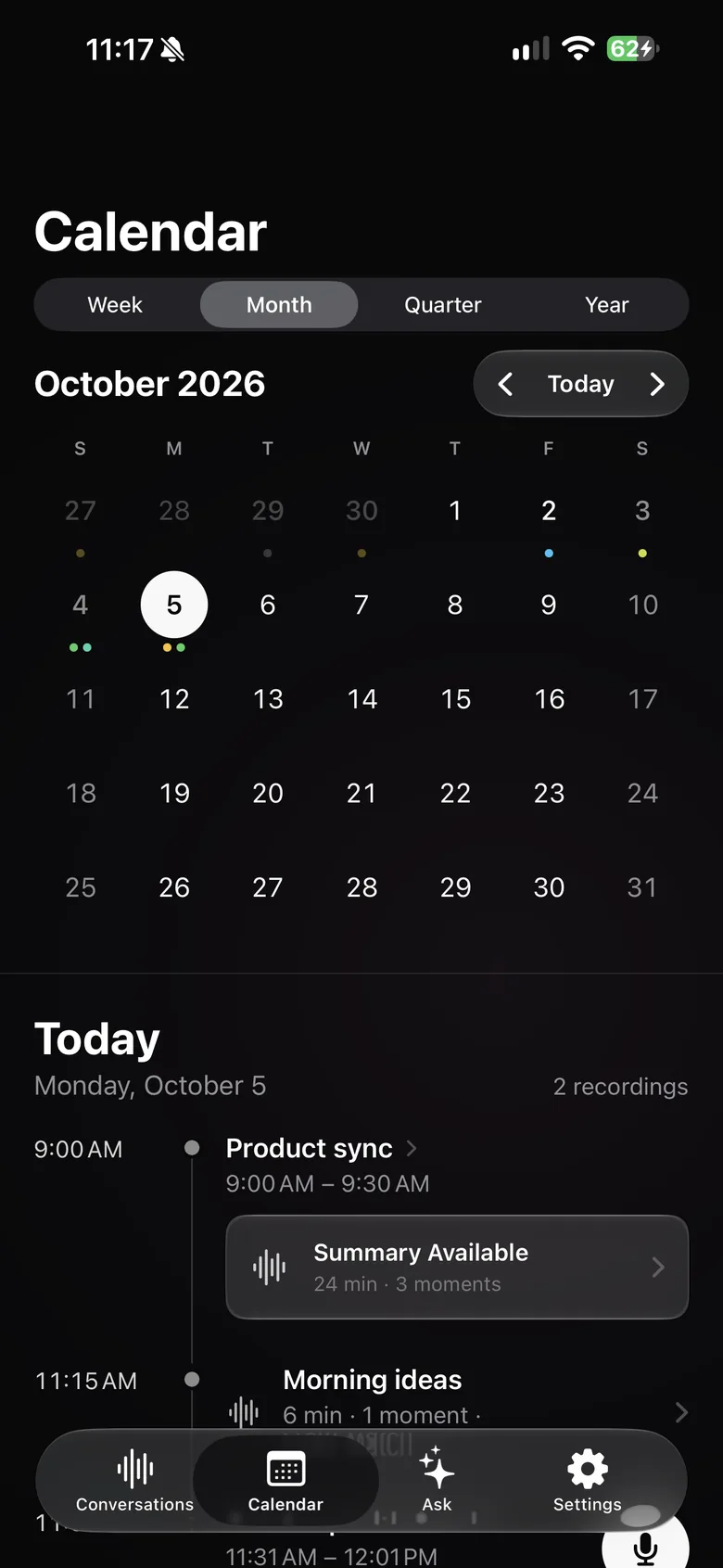
Record from a meeting and find its summary on the right day, by week, month, quarter or year.
AI and Privacy
By default, Verba writes your summaries with Mistral, a European model, via OpenRouter. Prefer GPT, Claude, Gemini or a local model? Plug in your own OpenRouter, OpenAI, Anthropic, Gemini, Groq or Mistral key, or any OpenAI-compatible server: no subscription, no Verba limits.
Transcription
By default, Apple’s speech recognition transcribes on your iPhone, iPad or Mac.
AI
Mistral by default, via OpenRouter; or the provider of your choice, with your own key (with a Mistral key, everything stays in the EU). Settings always shows where your transcripts go.
iCloud
Your conversations sync through your own account. Coffee Beans has no access to them.
Tracking
No analytics tools, no tracking.
Retention
Kept indefinitely by default. You can enable automatic deletion after 7, 30 or 90 days, or 1 year in settings.
Verba API
The API passes the text to the chosen model and keeps only usage counters tied to a random identifier, along with the device country and activity dates: no transcript, no summary, no audio.
Pricing
Three ways to use Verba: the free trial, a no-commitment monthly subscription managed through your Apple Account, or your own AI key, for free.
€0
3 free summaries
Included:
Recommended
€9.99/ month
15 summaries per month
Everything in Free, plus:
€49.99/ month
Up to 100 hours of meetings per month
Everything in Premium, plus:
No subscription
€0no Verba limits
No subscription: plug in your own AI model for summaries and Ask with no Verba limits. You pay your provider directly.
Prices in euros; your local price is shown in the App Store.
An app for iPhone, iPad, Apple Watch and Mac that records your meetings, calls and conversations, transcribes them on device and writes a summary: the highlights, the decisions and the tasks. Ask then answers your questions from your entire history.
No. There are three ways to use Verba: 3 free summaries to try it out; a Premium (€9.99 per month) or Diamond (€49.99 per month) subscription, with no key to set up; or for free with your own AI key: OpenRouter, OpenAI, Anthropic, Google Gemini, Groq, Mistral or any OpenAI-compatible server, even a local model. With your own key, there are no Verba limits: you pay your provider directly.
They stay on your devices and, if you turn it on, in your own iCloud Drive; Coffee Beans has no access to them. For a summary, only the necessary text is sent to the AI model you chose, and Verba does not keep it. Kept indefinitely by default. You can enable automatic deletion after 7, 30 or 90 days, or 1 year in settings.
Yes, by default: Apple’s speech recognition transcribes on your iPhone, iPad or Mac, and the audio never leaves the device. You can also choose an online engine (Mistral Voxtral, OpenAI Whisper, Groq) with your own key.
The app is translated into 12 languages. Transcription works in French, English, German, Spanish, Italian, Dutch, Portuguese, Polish, Japanese, Korean and Chinese.
It starts recording with a tap or double tap, marks important moments with a star and, if you turn it on, measures your heart rate. The audio is then sent to your iPhone, which transcribes and summarizes it.
Yes, a true Mac app, synced with your other devices through iCloud. It records with the Mac’s microphone (voices in the room, not the computer’s internal audio) and offers keyboard shortcuts.
Mistral by default, a European model: Mistral Small for the trial, Mistral Large with Premium, called via OpenRouter. With Diamond, you can also choose GPT, Claude or DeepSeek. With your own key, you use your provider’s models; with a Mistral key, everything stays in the EU.
In Settings › [your name] › Subscriptions on iPhone or iPad, or in the App Store on Mac. Cancellation takes effect at the end of the paid period.

Coming soon to the App Store, for iPhone, iPad, Apple Watch and Mac.
Coming soon to the App Store